
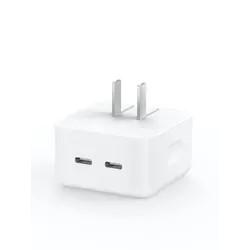
Technology moves fast. Just a few years ago, we struggled with bulky adapters, slow charging speeds, and cables that only worked one way. Today, the shift toward USB Type-C has changed everything. In this guide, Type-C to Type-C Charger Explained: Faster, Smarter Charging for Modern Devices, we’ll break down how this modern charging solution works and why it has become the new global standard.
From smartphones and tablets to laptops and gaming consoles, Type-C charging is now everywhere. But what makes it so special? Is it really faster? Is it safer? And does it work with all devices?
Let’s explore.
What Is USB Type-C?
USB Type-C (often written as USB-C) is a 24-pin connector system designed to replace older USB types like USB-A and USB-B. Unlike older cables:
- It’s reversible (no wrong side!)
- It supports faster charging
- It allows high-speed data transfer
- It can transmit video signals
Type-C is not just a connector—it’s a smarter system built for modern power needs.
Why Charging Technology Needed an Upgrade
Older USB chargers were limited in power output. Most delivered between 5 to 12 watts. That worked fine for early smartphones, but modern devices need more power.
Think about today’s devices:
- High-resolution displays
- Powerful processors
- Large batteries
- Fast refresh rates
They demand smarter and more efficient power delivery. Type-C was designed to meet those needs.
How a Type-C to Type-C Charger Works
A Type-C to Type-C charger uses USB-C connectors on both ends—one connects to the power adapter, and the other connects to your device.
But the real magic happens inside.
Power Delivery (USB-PD) Explained
USB Power Delivery (USB-PD) is a fast-charging protocol built into many Type-C chargers. It allows devices to negotiate how much power they need.
For example:
- A smartphone may request 18W.
- A laptop may request 65W or 100W.
- A tablet may need 30W.
Instead of sending fixed power, the charger communicates with the device to deliver exactly what’s required. This prevents overheating and improves efficiency.
Smart Communication Between Devices
When you plug in a Type-C to Type-C cable, the charger and device “talk” to each other. They determine:
- Voltage requirements
- Current limits
- Battery level
- Temperature conditions
This dynamic communication is what makes Type-C charging both faster and safer than older systems.
Key Advantages of Type-C to Type-C Chargers
Let’s dive into the real-world benefits.
Faster Charging Speeds
One of the biggest advantages is speed.
Older chargers:
- 5W to 12W output
Type-C chargers:
- 18W, 30W, 65W, 100W, and even 240W in newer models
That means:
- Smartphones can charge up to 50% in 30 minutes.
- Laptops can reach full charge in under 2 hours.
- Tablets power up significantly faster.
Speed matters—and Type-C delivers.
Higher Power Output
Unlike older USB systems, Type-C supports much higher wattage.
This makes it capable of charging:
- High-performance laptops
- Gaming devices
- Portable monitors
- External battery packs
It’s no longer just a phone charger—it’s a universal power solution.
Reversible Connector Design
We’ve all tried plugging in a cable the wrong way—twice. Type-C eliminates that frustration.
The reversible design:
- Saves time
- Reduces wear on ports
- Improves user convenience
Small detail, big improvement.
Universal Compatibility
Many manufacturers now use USB-C as a universal charging standard.
You’ll find it in:
- Android smartphones
- MacBooks
- Windows laptops
- Tablets
- Wireless earbuds
- Power banks
This reduces the need for multiple chargers. One cable can often handle multiple devices
Wattage Differences Explained
Not all Type-C chargers are equal. Wattage determines how powerful the charger is.
- 18W: Good for smartphones
- 30W: Ideal for tablets
- 65W: Suitable for ultrabooks
- 100W+: For high-performance laptops
Always match your charger wattage to your device’s needs.
Safety Features and Smart Protection
Modern charging must be safe. Thankfully, Type-C includes multiple protection layers.
Overcurrent and Overvoltage Protection
Smart chips inside chargers monitor:
- Current flow
- Voltage stability
- Power fluctuations
If something goes wrong, the charger reduces or stops power flow.
Temperature Monitoring
Overheating damages batteries. Type-C systems monitor temperature and adjust charging speed when necessary.
This helps:
- Extend battery lifespan
- Prevent device damage
- Reduce fire risks
Safety isn’t optional—it’s built in.
Compatibility with Modern Devices
Smartphones
Most new smartphones support USB-C fast charging. Some brands even require Type-C to Type-C cables for maximum charging speeds.
Laptops
Many modern laptops now charge entirely through USB-C ports. This means:
- No bulky proprietary adapters
- Easier travel
- Multi-device charging setups
A single 65W charger can power both your laptop and phone.
Tablets and Accessories
Tablets, portable speakers, gaming controllers, and even cameras are adopting Type-C charging. The ecosystem keeps expanding.
Choosing the Right Type-C to Type-C Charger
Not all chargers are created equal. Here’s how to choose wisely.
Wattage Requirements
Check your device’s recommended charging wattage. Using a lower wattage charger may slow charging. Using a higher one is generally safe because the device regulates power intake.
Cable Quality Matters
A poor-quality cable can:
- Limit charging speed
- Overheat
- Fail prematurely
Look for cables rated for the wattage you need (60W, 100W, etc.).
Certified vs Non-Certified Products
Certified products follow safety standards. Non-certified chargers may be cheaper—but they can be risky.
Investing in reliable brands protects your devices in the long run.
Common Myths About Type-C Charging
Let’s clear up confusion.
Myth vs Reality
All USB-C cables are identical vs They vary in wattage and data support
Higher wattage damages devices vs Devices only draw needed power
Type-C is only for phones vs It supports laptops, monitors, and more
Fast charging ruins batteries vs Smart systems manage battery health
Understanding these facts helps you use your charger confidently.
Environmental and Efficiency Benefits
Standardizing around USB-C reduces electronic waste.
Instead of separate chargers for:
- Phones
- Tablets
- Laptops
You can use one universal system.
Fewer chargers mean:
- Less manufacturing waste
- Fewer discarded cables
- Reduced energy loss
Energy efficiency also improves because modern power adapters convert electricity more effectively.
Frequently Asked Questions
1. Is Type-C charging faster than regular USB?
Yes. It supports significantly higher wattage, enabling much faster charging speeds.
2. Can I use a 100W charger for my phone?
Yes. Your phone will only draw the power it needs.
3. Do all Type-C cables support fast charging?
No. Some cables are limited to lower wattage. Always check specifications.
4. Is Type-C charging safe for laptops?
Yes, as long as the charger meets your laptop’s wattage requirements.
5. Does fast charging reduce battery lifespan?
Modern devices include battery management systems that minimize long-term damage.
6. Why is my Type-C charger charging slowly?
Possible reasons include:
- Low-wattage adapter
- Poor-quality cable
- Background device usage
- Incompatible fast-charging protocol
Conclusion
Technology should make life easier—not more complicated. That’s exactly what USB-C has achieved. In this guide, Type-C to Type-C Charger Explained: Faster, Smarter Charging for Modern Devices, we explored how this advanced system delivers faster speeds, smarter power control, improved safety, and universal compatibility.
Whether you’re charging a smartphone, powering a laptop, or running multiple devices with one adapter, Type-C offers unmatched convenience.
The future of charging is here—and it’s faster, smarter, and more efficient than ever.