

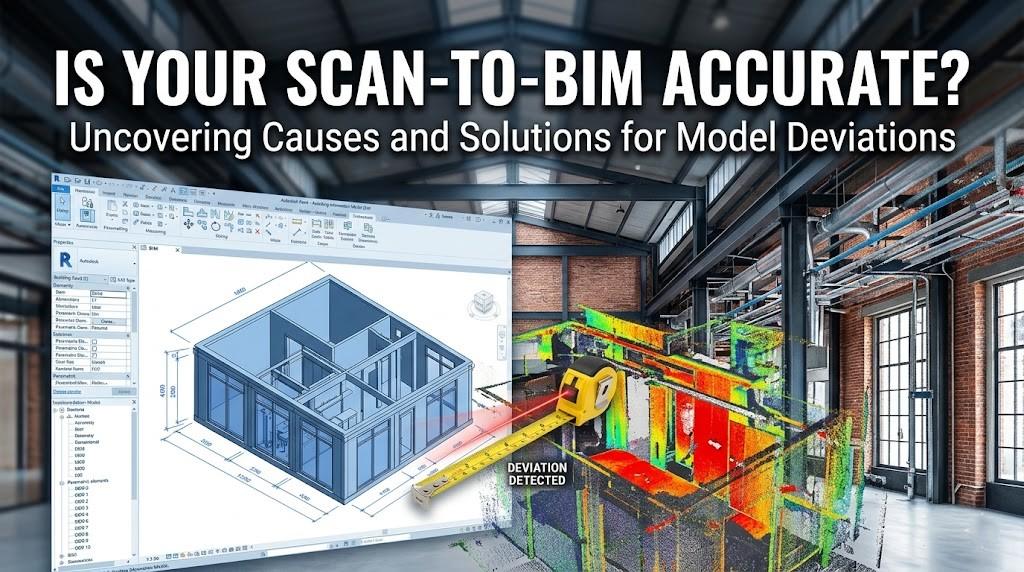
Did you know that nearly 30% of all construction projects experience significant rework due to inaccurate existing conditions documentation? It’s a staggering figure that translates to billions of dollars in wasted materials and labor annually. In the world of Scan-to-BIM, we often sell the dream of "millimeter precision," yet many project managers find themselves staring at a Revit model that doesn't quite line up with the site reality. If your "as-built" is feeling more like a "best-guess," you aren't alone—but you might be missing the critical steps that separate a digital twin from a digital distraction.
The Precision Paradox: Why "Perfect" Scans Fail
We’ve entered an era where laser scanners can capture millions of points per second with sub-millimeter accuracy. However, there is a massive gulf between a high-quality Point Cloud and a high-quality BIM Model. The industry often falls into the "garbage in, garbage out" trap. According to recent industry surveys, nearly 45% of BIM technicians cite "poor registration" as the primary reason for model deviation.
The problem often starts before a single laser is fired. Are you setting enough control points? Are your surveyors using Global Navigation Satellite System (GNSS) coordinates or relying on local grids that don't talk to each other? When we discuss Scan-to-BIM, we have to look at the LOD (Level of Development) vs. LOA (Level of Accuracy). Just because a model looks detailed (LOD 400) doesn't mean it’s positioned correctly in space (LOA 30).
The "Golden Thread" of Accuracy: Registration and Georeferencing
If your model is "drifting" as you move from the north wing to the south wing, your registration is likely the culprit. In large-scale infrastructure or complex commercial builds, "cloud-to-cloud" registration—while fast—can accumulate "tilt" errors over long distances.
To fix this, industry leaders are shifting back to Target-Based Registration. By using physical checkerboard or sphere targets, you provide the software with "anchors" that have a known mathematical relationship.
- The 1/10 Rule: Always ensure your survey control is ten times more accurate than your required model tolerance.
- The Global Factor: For international projects, differing coordinate systems (like MGA2020 in Australia vs. State Plane in the US) can cause havoc if not aligned during the initial import phase in Revit.
Modeling Human Error: The "Snap" Trap
Here is a dirty little secret in the AEC world: software likes straight lines, but buildings are crooked. Old masonry walls lean, concrete slabs sag, and steel beams deflect under load.
When a BIM modeler starts "tracing" a point cloud in Revit, the software naturally wants to snap to 90-degree angles and perfectly level planes. This is where the inaccuracy creeps in. If a wall is actually at an 89.2° angle, but your modeler forces it to 90°, that error compounds. By the time you reach the other end of a 100-meter corridor, your model might be off by several inches.
To combat this, firms are adopting "Validation Reporting." Instead of just delivering the file, ask for a Heat Map. These visual reports overlay the 3D model against the original point cloud, highlighting areas of deviation in red or green. If your contractor is using your model to pre-fabricate MEP pipework, that 2-inch deviation becomes a $20,000 mistake on the shop floor.
Technical Workflows: From Points to Parts
Navigating the transition from raw data to a functional model requires a disciplined workflow. Many professionals struggle with the sheer size of data—often hitting hundreds of gigabytes—which slows down Revit performance and leads to "modeling shortcuts."
Understanding how to convert point cloud data into Revit BIM models effectively is a balance of hardware power and software settings. It involves setting correct "Worksets," managing "View Ranges," and utilizing "Section Boxes" to isolate specific areas for high-fidelity modeling.
Stakeholder Perspectives: Who Pays for the Error?
The impact of inaccuracy ripples through the entire project lifecycle:
- Architects: An inaccurate model leads to design clashes that aren't discovered until construction, leading to "Request for Information" (RFI) surges.
- Engineers: Structural calculations based on an incorrectly modeled load-bearing wall can compromise safety or lead to over-engineering.
- Contractors: For those utilizing Modular Construction, a 10mm error in the Scan-to-BIM model can mean a pre-fabricated bathroom pod simply won't fit into the designated structural opening.
- Facility Managers: If the "Digital Twin" doesn't match the "Physical Twin," the data becomes useless for long-term maintenance and asset management.
Actionable Takeaways for Your Next Project
How do you stop the bleeding? Start by implementing these three "Must-Haves" in your BIM Execution Plan (BEP):
- Define Your LOA Explicitly: Don't just say "make it accurate." Use the USIBD (U.S. Institute of Building Documentation) Level of Accuracy (LOA) Framework. Specify if you need LOA 20 (approximate) or LOA 40 (high precision).
- Request a Deviation Report: Make it a contractual deliverable. If the modeler cannot show you a color-coded heat map comparing the model to the cloud, the quality hasn't been verified.
- Cross-Check with Traditional Survey: Always have a few "check dimensions" taken with a physical tape measure or total station. If the digital model says a door is 900mm but the tape says 915mm, you know your scan registration has failed.
The Road Ahead: AI and Automated Feature Extraction
The future of Scan-to-BIM isn't just about better lasers; it’s about better algorithms. We are seeing a massive surge in AI-driven feature extraction, where software can automatically recognize a "pipe" or a "duct" within a point cloud and place the corresponding Revit family. While these tools currently have about an 80-85% accuracy rate, they are rapidly closing the gap.
As we move toward a more automated AEC industry, the role of the BIM professional is shifting from "modeler" to "validator." The value is no longer in drawing the line; it’s in ensuring the line is in the right place.