

Here's something most procurement guides skip over: the biggest hidden cost in a typical office setup isn't rent or software. It's the printer situation. Separate scanner on one desk. Ink cartridges running dry every two weeks. A fax machine from 2011 that still somehow has its own power strip. Toss in a colour inkjet that smears if you sneeze near the page, and you've got a mess.
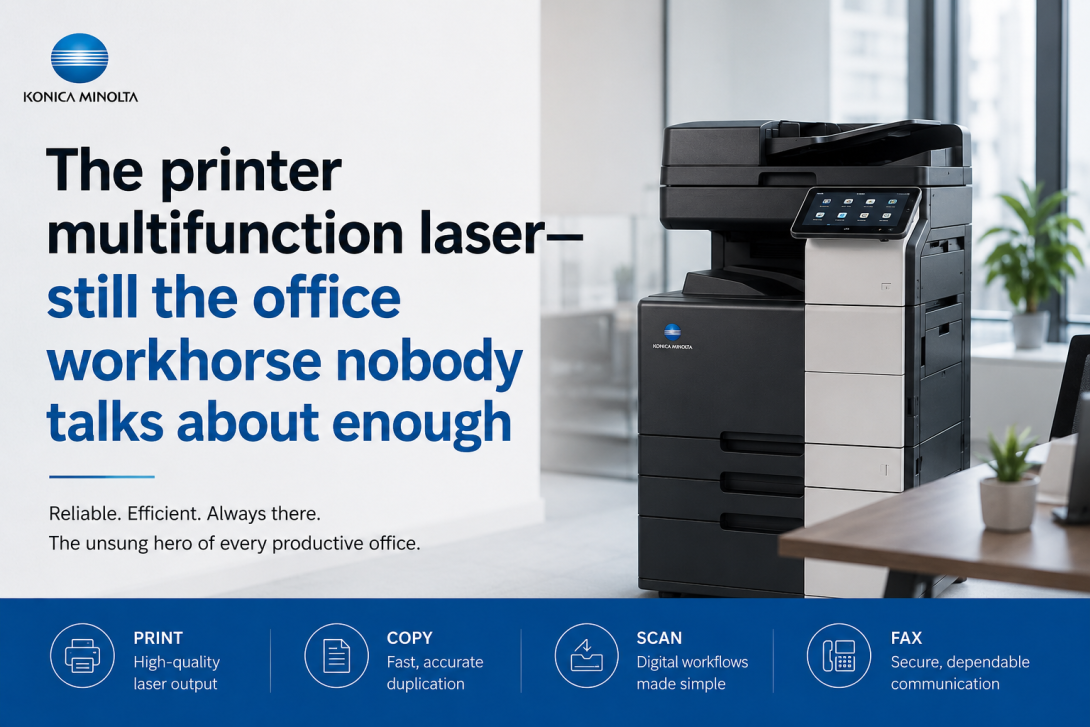
That's the problem a printer multifunction laser quietly solves. Print, scan, copy — sometimes fax — out of a single device, running off toner that lasts months rather than days. It's not glamorous, but after years of watching businesses cobble together printing setups piece by piece, this is almost always the smarter starting point.
Why laser, specifically
The core difference between laser and inkjet comes down to how each technology puts ink on paper. Inkjet sprays liquid through tiny nozzles — reliable enough for photos, but slow, expensive per page, and prone to drying out when you haven't printed in a week. Laser uses heat and powdered toner, which fuses directly into the paper. Pages come out dry and sharp. No smearing. No waiting.
For a business printing invoices, contracts, or compliance documents on a daily basis, toner cartridges stretch significantly further. That gap in per-page cost sounds small until you run the numbers across a year. It adds up faster than most people expect.
What the multifunction side actually means in practice
A printer multifunction laser isn't just a printer with a scanner bolted on. The better models integrate automatic document feeders, duplex printing, cloud connectivity, and mobile print support. Scan a multi-page contract directly to a shared drive. Print from a phone on the other side of the office. Copy a stack of documents without standing there flipping pages.
For most small to mid-size teams, a unit with a monthly duty cycle somewhere between 30,000 and 80,000 pages covers day-to-day needs with room to spare. That spec tier has also become competitive enough that useful features — proper ADFs, network ports, decent touchscreens — no longer cost extra.
When a standard office unit isn't enough
High-volume industrial environments
A regular multifunction unit does its job well in an office setting. But put it on a warehouse floor running back-to-back print jobs for eight hours, and the limits show quickly. That's where an industrial laser printer earns its place. Built to handle heat, dust, and sustained throughput, these machines are designed for production environments — not just tolerant of them.
Labelling and logistics
Barcodes, pallet tags, product labels — this is a different workflow entirely. An industrial label printer handles that output with the precision and speed a general-purpose device isn't designed for. Most operations running a distribution or fulfilment function end up running both: a printer multifunction laser for documents, and a dedicated industrial label printer for packaging. Trying to merge those two functions into one machine usually frustrates both.
The buying question nobody asks until it's too late
Sticker price drives most purchasing decisions. It probably shouldn't. What matters more is total cost of ownership — toner yield, service contract terms, paper jam frequency, and how long the machine realistically runs before needing work.
A quick way to compare models honestly: look up the ISO yield for each toner cartridge, divide the cartridge price by that number, and you have a real per-page cost. That single figure tells you more than any spec sheet.
A few other things worth checking before committing:
- Maximum paper size — plenty of compact models cap at A4, which matters if your workflow involves legal or tabloid stock
- ADF capacity — the difference between a 50-sheet and 100-sheet feeder becomes obvious fast in a busy office
- Mono vs colour — if the majority of your output is black-and-white, a mono printer multifunction laser is cheaper to run and maintain
- Security features — encrypted printing and user access controls matter more than they used to, especially in regulated industries
The bottom line
The printer multifunction laser category has matured. There are solid options at almost every budget, and the decision has shifted from "should I go laser" to "which unit actually fits my volume and workflow." Get the per-page cost right, match the duty cycle to realistic usage, and you'll likely run the same machine for five or six years without issue.
For teams that also handle labelling or industrial-scale output, pairing a good office multifunction with a purpose-built industrial label printer or industrial laser printer gives you the right tool for each job — rather than one device doing two things poorly.
FAQs
Is a multifunction laser printer worth it for a small business?
For most small businesses, yes. Toner cartridges last significantly longer than inkjet, which lowers the cost per page over time. Consolidating printing, scanning, and copying into one machine also reduces clutter and running costs without sacrificing reliability.
What's the difference between an industrial laser printer and a standard office model?
An industrial laser printer is built for sustained, high-volume use in demanding environments — warehouses, manufacturing floors, distribution centres. It handles continuous operation and heavier media where a standard office model would struggle or fail prematurely.